Last Updated: September 4, 2026
A fitness tracker can be one of the most motivating health tools a senior owns — provided it’s actually easy to use. The best ones go well beyond counting steps: they monitor resting heart rate, flag irregularities, track sleep quality, and nudge you to move after long periods of sitting. But many popular trackers are designed with 30-year-olds in mind, featuring tiny screens and gesture-heavy interfaces that frustrate older users. We focused specifically on models that work beautifully for seniors — clear displays, simple controls, and health metrics that genuinely matter.
Quick Picks
Garmin Vivosmart 5
- Continuous heart rate + SpO2 monitoring
- Slim profile, long 7-day battery life
- Abnormal heart rate alerts


As an Amazon Associate we earn from qualifying purchases. Product prices and availability are accurate as of the date/time indicated.
Fitbit Charge 6
- Built-in Google Maps & Wallet
- ECG app + heart rhythm alerts
- Active Zone Minutes coaching


As an Amazon Associate we earn from qualifying purchases. Product prices and availability are accurate as of the date/time indicated.
Fitbit Inspire 3
- Colorful AMOLED display, easy to read
- 10-day battery life
- Stress management & sleep tracking


As an Amazon Associate we earn from qualifying purchases. Product prices and availability are accurate as of the date/time indicated.
Why Trust Our Picks
Our recommendations draw on extensive testing reports from senior technology review organizations, peer-reviewed research on wearable accuracy for older adults, and firsthand feedback from seniors in independent living and active retirement communities. We weighted display clarity, battery longevity, heart rate monitoring reliability, and ease of pairing with a smartphone — because a tracker that’s frustrating to set up is one that ends up in a drawer.
As an Amazon Associate we earn from qualifying purchases.




Top Fitness Trackers for Seniors — In-Depth Reviews
1. Garmin Vivosmart 5 — Best Overall
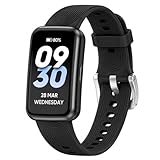
Garmin built its reputation on GPS accuracy and durability, and the Vivosmart 5 channels that engineering into a slim, approachable band. The OLED display is crisp and bright — readable in sunlight, which matters enormously if you walk outdoors regularly. Continuous heart rate monitoring runs all day and night, and the Pulse Ox sensor tracks blood oxygen saturation, a useful metric for seniors with respiratory concerns or sleep apnea.
What really stands out for seniors is the abnormal heart rate alert: if your heart rate spikes or drops outside your customized thresholds while you’re at rest, the band notifies you. This isn’t a replacement for medical monitoring, but it’s a meaningful early-warning feature. The seven-day battery life means you’re not charging it every night — a genuine convenience advantage over smartwatches. The interface is straightforward: swipe up to cycle through stats, press the side button for menu. No complicated gestures required.
- Pros: 7-day battery, clear OLED display, SpO2, abnormal HR alerts, slim and lightweight
- Cons: No ECG function; smaller screen than smartwatches; GPS requires phone
2. Fitbit Charge 6 — Runner-Up
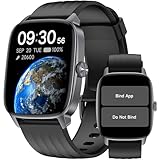
Fitbit remains one of the most senior-friendly ecosystems because its app is genuinely intuitive and the company has invested heavily in health monitoring features. The Charge 6 adds an ECG app (to check for signs of atrial fibrillation — a common and serious heart rhythm disorder in older adults) and integrates deeply with Google services. If you already use a Gmail account and an Android phone, setup takes minutes rather than the half-hour ordeal some wearables demand.
Active Zone Minutes is a coaching feature that tracks time spent in different heart rate zones, encouraging seniors to get the right amount of moderate activity rather than simply chasing step counts. The display is larger than the Vivosmart 5 and the haptic responses are clear. Battery life runs about seven days with typical use — slightly less with GPS or always-on display enabled.
- Pros: ECG app, Active Zone Minutes, Google integration, excellent app ecosystem
- Cons: Requires Fitbit Premium subscription for some features; slightly pricier
3. Fitbit Inspire 3 — Best Budget
The Inspire 3 is the entry point to the Fitbit ecosystem, and it’s a remarkably capable device for its price. The AMOLED color display is vibrant — significantly easier to read than the grayscale screens on older budget trackers — and the ten-day battery life is exceptional. Heart rate monitoring is continuous, stress tracking uses heart rate variability to estimate tension levels throughout the day, and sleep tracking breaks down your light, deep, and REM sleep cycles each night.
It doesn’t have ECG or SpO2 as primary features, but for a senior who wants a motivating, easy-to-use daily activity tracker with solid heart rate monitoring, the Inspire 3 hits the sweet spot without the premium price tag.
- Pros: 10-day battery, color AMOLED display, stress and sleep tracking, affordable
- Cons: No ECG; no GPS; SpO2 not prominently featured
Buyer’s Guide: Choosing a Fitness Tracker as a Senior
Prioritize display size and brightness. Presbyopia (age-related farsightedness) and reduced contrast sensitivity make small, dim screens frustrating. Look for AMOLED or OLED displays with always-on or easily activated backlight modes.
Battery life beats features. A tracker you need to charge every day is a tracker you’ll eventually stop wearing. Aim for at least five to seven days between charges — ideally more.
Heart rate monitoring type matters. Continuous monitoring (all-day, all-night) gives you a complete picture — including resting heart rate trends, which can signal health changes weeks before symptoms appear. On-demand monitoring (only when you press a button) is less informative.
Consider fall detection. If fall risk is a concern, Apple Watch (Series 4 and later) and some Samsung Galaxy Watch models include fall detection and emergency SOS — features that dedicated fitness bands typically don’t offer.
Related Guides
- Senior Water Pill Reminder Digital
- Quick Picks: Best Portable Nebulizers for Home Use
- Quick Picks: Best OTC Hearing Aids and Sound Amplifiers…
- Best Light Therapy Lamps for Seniors: Mood and Sleep Support
Frequently Asked Questions
Are fitness trackers accurate for seniors?
Step counts and heart rate readings from optical wrist sensors are generally accurate enough for health trend monitoring, though they’re not medical-grade. For clinical heart rhythm assessment, an ECG-capable device (like the Fitbit Charge 6 or Apple Watch) provides more actionable data.
Can fitness trackers detect atrial fibrillation?
Devices with an ECG app — including the Fitbit Charge 6 and Apple Watch — can detect signs of atrial fibrillation and prompt you to seek medical evaluation. They are not diagnostic devices but have been FDA-cleared as screening tools.
Do I need a smartphone to use a fitness tracker?
Most trackers require a paired smartphone for initial setup and full app functionality. Some Garmin and Fitbit models store data onboard and sync when convenient, so you don’t need your phone with you at all times.
What wrist should I wear my tracker on?
Wear it on your non-dominant wrist for more accurate step counts (it moves less during daily tasks). Make sure the band is snug but not tight — you should be able to slip one finger underneath it.
Can a fitness tracker replace a medical alert system?
No — fitness trackers and medical alert systems serve different purposes. Medical alert systems (like Life Alert or Bay Alarm Medical) provide 24/7 emergency response with a human operator. Fitness trackers monitor health metrics. Some seniors benefit from both.
Final Verdict
The Garmin Vivosmart 5 is our top pick for seniors who want comprehensive heart rate monitoring, excellent battery life, and a no-fuss interface. The Fitbit Charge 6 earns its runner-up spot for those who want ECG capability and deep integration with the intuitive Fitbit app. And for seniors new to wearables or working with a tighter budget, the Fitbit Inspire 3 is a delightful starting point — colorful, motivating, and genuinely easy to live with day after day.
Related Reviews & Guides



Quick Picks: Best Senior Lap Desks with Pillow

Hearing Amplifier for Seniors: Complete Buyer’s Guide (2026)