Last Updated: October 9, 2026
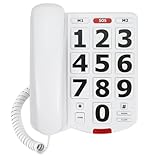
- Top Pick: Uvital Big Button Phone for Seniors, Corded Landline Phone-Speakerphone
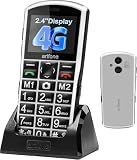
- Best Value: SWISSVOICE Big Button Phone for Elderly with Answering Machine, Loud Phones for Hard of Hearing – Hearing Aid Compatible Phones and Additional Cordless Handset Premium 3355
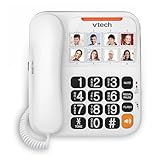
- Premium Choice: Large Button Phones for Seniors, Land Line Phones for Elderly – Big Button Home Telephone for the Visually Impaired, 110dB+ Amplified Ringer & 80dB+ Handset Volume for the Hearing Impaired House Phone
Stay Connected With a Phone Built for Senior-Friendly Use
Staying in touch with family and managing emergencies becomes harder when standard smartphones have tiny text, complicated menus, and touch screens that do not respond well to arthritic fingertips. A large button phone for elderly users solves these issues with oversized physical keys, amplified volume, bright screens, and simplified menus that make calling and answering straightforward regardless of tech experience.
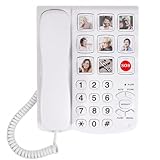
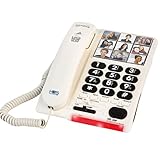
These phones range from basic landline models with a few large keys to full mobile phones with emergency SOS buttons. Many include hearing aid compatibility (HAC), extra-loud ringtones, and photo speed-dial keys that allow seniors to call family by recognizing a face, not a number.
As an Amazon Associate we earn from qualifying purchases at no extra cost to you.



1. Doro 7050 Senior Cell Phone
The Doro 7050 is a clamshell mobile phone with large tactile buttons, a clear 2.8-inch display, and a dedicated emergency assistance key. Press and hold the rear button to send an alert with GPS location to designated contacts. The speakerphone is loud, voice quality is excellent, and the interface is simplified to calls and texts only — no confusing apps.
2. Panasonic KX-TGM450S Amplified Cordless Phone
For those who prefer a home landline, the Panasonic KX-TGM450S offers an amplified volume up to 40dB, large backlit buttons, and an advanced call block feature that intercepts robocalls. The slow-talk function slows down fast talkers in real time without changing pitch. The dedicated HAC mode works with hearing aids.
3. Jitterbug Flip2 Senior Phone
The Jitterbug Flip2 by Lively (formerly GreatCall) is designed exclusively for seniors. The clamshell design has a large external display, an internal 3.2-inch screen, large buttons, and a simple menu. It includes an urgent response button that connects to a 24/7 operator. Monthly plans include optional health and safety monitoring services.
Buying Guide: What Makes a Good Senior Phone
- Button size: Keys should be at least 0.5 inches wide with clear, high-contrast labels.
- Volume amplification: 40dB+ amplification covers most degrees of hearing loss.
- Emergency button: A dedicated SOS key that sends alerts or calls emergency services is a vital safety feature.
- Hearing aid compatibility (HAC): Look for M4/T4 ratings for best hearing aid performance.
- Photo speed dial: Associates pictures with contacts so seniors can call by face recognition.
- Battery life: Longer standby time is important for seniors who may forget to charge frequently.
- Roaming and network compatibility: Ensure the phone works on a network with strong coverage in your area.
Key Features That Make a Phone Easy for Seniors to Use
A large button phone earns its place by being genuinely simple to see, hear, and operate. The buttons themselves are central: big, well-spaced keys with large, high-contrast numbers reduce misdials for anyone with low vision or less precise fingers. Amplified sound is just as important, so look for adjustable volume that can be turned up well beyond a standard handset, ideally paired with a loud, distinct ringer and a visual ring indicator for those who are hard of hearing. Hearing aid compatibility, often shown as an HAC rating, helps users who wear hearing aids avoid buzzing and feedback.
Thoughtful extras can make the phone far friendlier. Programmable speed-dial or one-touch memory keys, and on some models photo buttons that show a loved one’s face, let a senior place important calls with a single press. A handset that is comfortable to hold, a backlit keypad for dim rooms, and a simple, clutter-free layout all reduce confusion. For corded models, reliability during a power outage is a real advantage, while cordless models add the freedom to carry the phone around the home. Matching these features to the person’s eyesight, hearing, and comfort with technology makes everyday calling much easier.
Setting Up and Using a Large Button Phone
A little setup goes a long way toward making a phone effortless to use. Program the most important numbers, such as family members, a doctor’s office, and emergency contacts, into the speed-dial or memory keys before handing the phone over, and label them clearly. If the phone has photo buttons, add recognizable pictures so the user can simply press a familiar face. Place the phone in a consistent, easy-to-reach spot, and set the ringer volume and tone to a level the person can reliably hear from nearby rooms.
Day-to-day use is smoother with a few habits. Keep a cordless handset charged on its base when not in use so it is always ready, and consider keeping one simple corded phone in the home as a backup, since cordless models typically stop working during a power outage. Periodically check that the volume settings have not been changed accidentally and that any memory numbers are still current. For a senior who may need help fast, a phone with easy emergency dialing offers peace of mind. If hearing loss is significant, an audiologist can advise whether an amplified phone alone is enough or whether additional support would help.
Frequently Asked Questions
How loud can large button phones get?
Many senior-friendly phones offer adjustable amplification well above a normal handset, plus a loud ringer. Exact levels vary by model, so check the details, and consult an audiologist if hearing loss is significant.
Do large button phones work with hearing aids?
Many are hearing aid compatible and list an HAC rating. If the user wears hearing aids, look for that designation and test the phone if possible to confirm clear sound without feedback.
Can I program emergency or family numbers into the phone?
Yes. Most large button phones include speed-dial or one-touch memory keys, and some add photo buttons. Setting these up in advance lets a senior call loved ones or help with a single press.
Will a large button phone work during a power outage?
Cordless phones rely on a base that needs power and usually stop during an outage. A corded phone often keeps working because it draws power from the phone line, so keeping one as a backup is wise.
Final Thoughts
A large button phone for elderly users is not just about convenience — it is about safety, connection, and confidence. The three picks above cover mobile and landline options, from the SOS-equipped Doro to the amplified Panasonic landline to the full Jitterbug senior ecosystem. Choose based on whether you need mobile flexibility or a reliable home phone, and prioritize the emergency features that give you and your family peace of mind.
Related Reviews & Guides




Electric Can Opener Hands Free Senior Review
11 Best Non-Slip Socks for Elderly: Grip Socks for Safety