Last Updated: September 26, 2026
Remote patient monitoring, often shortened to RPM, lets clinicians keep an eye on a patient’s health data between office visits. Connected devices such as blood pressure cuffs, scales, glucose meters, and pulse oximeters send readings to a care team, who can spot concerning trends and respond earlier. For older adults managing chronic conditions, RPM can mean fewer trips to the clinic and more timely adjustments to care. This guide explains how RPM devices work, which ones suit different conditions, and what families should ask before enrolling.
How Remote Patient Monitoring Works
In a typical program, a doctor’s office or health system enrolls the patient and provides one or more connected devices. The patient takes readings at home, and the devices transmit data automatically, usually through a built-in cellular connection or a hub. A nurse or care coordinator reviews the readings, and alerts are generated when values fall outside ranges the clinician has set. The team may call the patient, adjust medications, or schedule a visit.

RPM PRO™ Diabetic Care Product Bundle | Bluetooth Blood Glucose Kit + Blood Pressure Monitor + Digital Weight Scale |Remote Patient Monitoring Devices for Chronic Care & Telehealth
Included for 'Best Remote Patient Monitoring Device' as a relevant option in this category; details come from the product listing.
View on AmazonRPM differs from consumer health gadgets in one key way: a clinician is actively watching the data. A smartwatch that logs heart rate for the wearer alone is not RPM, even if the numbers are similar.
Common RPM Devices
| Device | What it measures | Often used for | Typical reading schedule |
|---|---|---|---|
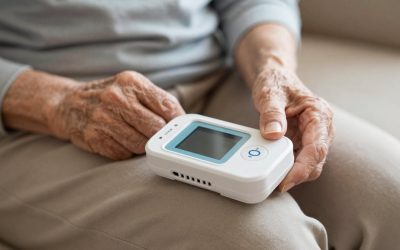
| Blood pressure monitor | Systolic, diastolic, pulse | Hypertension, heart failure | Once or twice daily |
| Weight scale | Body weight | Heart failure, kidney disease | Daily, same time each morning |
| Glucose meter or CGM | Blood or interstitial glucose | Diabetes | As prescribed; CGM continuous |
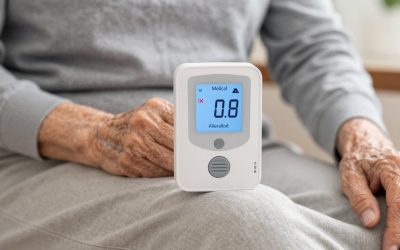
| Pulse oximeter | SpO2, pulse | COPD, post-illness recovery | Daily or as instructed |
| Thermometer | Body temperature | Post-surgery, infection watch | As instructed |
What Makes an RPM Device Senior-Friendly
Cellular connectivity
Devices with built-in cellular connections send data without a smartphone, Wi-Fi setup, or pairing. For many older adults, that is the single biggest factor in whether the program succeeds.
One-step operation
The best devices need a single action: step on the scale, press start on the cuff. Readings upload in the background.
Clear feedback
Large displays and simple confirmations, such as a checkmark or a beep when a reading has been sent, reassure users that the data got through.
Reminders
Some programs send phone calls, text messages, or device alerts when a reading is missed. Consistent readings make the data more meaningful.
Who Benefits Most
RPM is commonly offered to people with conditions where small daily changes matter: high blood pressure, heart failure, diabetes, COPD, and chronic kidney disease. It can also help after hospital discharge, when the risk of complications is higher. People who live far from their clinic or have trouble traveling may benefit especially.
Cost and Coverage
In the United States, Medicare and many private insurers cover RPM services when ordered by a qualified provider and when certain requirements are met, such as a minimum number of days with readings each month. Patients may owe a copay or coinsurance. Coverage rules change, so ask the provider’s office for current details, including whether the device itself is loaned, whether there is a monthly charge, and what happens when the program ends.
Questions to Ask Before Enrolling
- Who reviews the readings, and how often?
- What happens if a reading is outside the target range, and how quickly will someone respond?
- Is this a replacement for calling 911 in an emergency? (It is not.)
- What will this cost each month, and are the devices returned at the end?
- Who can see the data, and how is privacy protected?
- Can a family member or caregiver receive updates?
Consumer Alternatives
If a formal RPM program is not available, families can use connected consumer devices that sync to an app and share results with the doctor at visits or through a patient portal. This lacks active clinical review but still creates a useful record. Look for validated blood pressure monitors and simple Wi-Fi scales that log readings automatically.
Tips for Success
- Keep devices in one spot where they are easy to use daily, such as a kitchen table.
- Take readings at the same time each day.
- Keep chargers and spare batteries nearby.
- Write down symptoms that go with unusual readings, so the care team has context.
Frequently Asked Questions
Does remote patient monitoring replace doctor visits?
No. RPM supplements regular care by giving clinicians more information between visits. Patients still need scheduled appointments and should seek emergency care for urgent symptoms.
Do I need a smartphone for remote patient monitoring?
Not necessarily. Many RPM programs use devices with built-in cellular connections that send readings automatically without a phone or Wi-Fi.
Bottom Line
The best remote patient monitoring device is one that is prescribed for the person’s condition, sends data automatically, and is simple enough to use every day. Cellular-connected cuffs, scales, and glucose monitors are the most common. Ask detailed questions about who watches the data and what it costs, and treat RPM as a partnership with the care team.
Related Reviews & Guides

6 Best Compression Socks For Rls 2026
Hoolerry 2 Pcs Lymphedema Compression Wraps vs Sylong Swelling Edema Calf Foot Compression: Which Should You Buy?