Last Updated: September 26, 2026
A tablet can be a lifeline for an older adult: video calls with grandchildren, large-print reading, telehealth appointments, photo sharing, online banking, and games that keep the mind engaged. It can also be a source of daily frustration if the screen is too small, the menus are confusing, or updates change everything overnight. The best senior-friendly tablet is not necessarily the most powerful one. It is the one whose size, setup, and support match the person’s vision, hearing, dexterity, and comfort with technology. This guide explains the choices and the settings that matter most.
Three categories of tablets for seniors
Mainstream tablets from major platforms offer the most apps and the best value, and their accessibility features are extensive once set up. Simplified senior tablets come with a locked-down home screen, bundled data, and a support line, usually for a monthly subscription. Simplified launchers are apps that turn a mainstream tablet into a simple one, offering a middle path.
![GrandPad Easy to Use Tablet & Phone for Seniors [Locked - Not Compatible with Other Wireless Carriers - Requires a Plan]](https://m.media-amazon.com/images/I/41XvvOU2BCL._SL400_.jpg)
GrandPad Easy to Use Tablet & Phone for Seniors [Locked - Not Compatible with Other Wireless Carriers - Requires a Plan]
Included for 'Best Senior-Friendly Tablet 2026' because the listing specifies Not Compatible with Other Wireless Carriers and Requires a Plan], details this guide uses to compare options.
View on Amazon
Pix Star Touch Easy to Use Tablet for Seniors, Touch Screen & Simple Interface - WiFi - 10.1 Inches, 2 Cameras - Ideal for Video Calls, Web Search, Photos, Highly Giftable
Included for 'Best Senior-Friendly Tablet 2026' because the listing specifies Touch Screen & Simple Interface and WiFi, details this guide uses to compare options.
View on Amazon| Category | Ease of use out of the box | Flexibility | Typical cost structure | Best for |
|---|---|---|---|---|
| Mainstream tablet | Moderate, needs setup | High | One-time purchase, Wi-Fi or data plan | Seniors with some tech experience or a helpful family member |
| Mainstream tablet with simplified launcher | Good after setup | Moderate to high | Device plus free or low-cost app | Families who want simplicity without subscriptions |
| Dedicated senior tablet service | Very good | Limited to approved apps | Monthly subscription, often includes data | Seniors with little tech experience or early memory changes |
Key hardware features
Screen size and brightness
A 10 to 11 inch screen is the sweet spot for most seniors, large enough for readable text and video calls yet light enough to hold. Larger 12 to 13 inch screens help with low vision but are heavier; a stand or case with a kickstand solves that. Look for high brightness and an anti-glare option for people with cataracts or macular degeneration.
Weight and grip
Tablets weigh roughly 1 to 1.5 lb. For people with arthritis or tremor, a rugged case with a handle or a folding stand reduces dropping. A stylus with a thick grip can help with tremor or large fingers.
Sound and camera
Loud, clear speakers matter for video calls. Tablets that support hearing aid streaming via Bluetooth are valuable for people with hearing loss. A front camera placed on the long edge makes landscape video calls more natural.
Connectivity
Wi-Fi only tablets are cheaper, but a cellular model helps when home internet is unreliable or for use away from home. The federal Lifeline program offers discounted phone or internet service for eligible low-income households.
Accessibility settings to turn on
- Larger text and bold text across the system
- Magnification or zoom gestures
- Screen reader or spoken content for low vision
- Live captions for video and calls
- Reduced motion and simplified animations
- Touch accommodations that ignore repeated taps, useful for tremor
- Guided access or single-app mode to prevent getting lost in menus
Matching the tablet to the person
Low vision
Choose the largest comfortable screen, set maximum text size, and learn voice assistant commands. State vision rehabilitation services and low vision specialists can help with training.
Memory changes
A dedicated senior tablet or a mainstream one with a locked launcher showing only a few large buttons, such as “Call Sarah” and “Photos,” reduces confusion. Remote management by a family member is helpful.
Tech-comfortable seniors
A mainstream tablet offers the full app selection, including banking, telehealth portals, and library e-books, and costs less over time than a subscription.
Safety and scams
Set up automatic updates, a strong passcode or face or fingerprint unlock, and limits on app installs if needed. Talk through common scams, like fake tech support pop-ups and texts claiming to be from a bank. Many libraries and senior centers offer free tablet classes.
Frequently asked questions
Is a tablet better than a smartphone for seniors?
For reading, video calls, and people with vision or dexterity problems, a tablet’s larger screen is usually easier. A phone remains essential for calls on the go and emergencies.
Are there programs that provide free tablets?
Some state telecommunications equipment distribution programs provide devices to people with hearing, vision, or speech disabilities, and some Area Agencies on Aging and Medicaid waivers fund devices for social connection or telehealth. Availability varies by state.
Bottom line
For most seniors, a 10 to 11 inch mainstream tablet with large text, captions, and a sturdy stand-case is the best value, especially with family support. Choose a simplified launcher or a subscription senior tablet when memory or confidence is limited, and turn on accessibility settings before handing it over.
Related Reviews & Guides


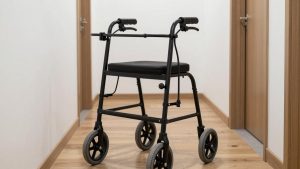
Best Rollator for Narrow Hallways

Best Donabe Pots for Rice, Stews, and Traditional Cooking