Last Updated: November 23, 2026
A gaming chair with built-in RGB LED lighting promises two things at once: a comfortable seat for long sessions and a glow that ties a desk setup together. The real decision is whether the lighting earns its place, because the LEDs need power, add wiring, and only look good when the rest of the room is dark enough to show them. A chair that feels wrong after an hour will not be saved by colorful edges, and a plain chair with good support may serve a daily player better than a bright one with thin padding.
This guide looks at one chair, the GTPLAYER RGB Gaming Chair, model GT905-LS, using the facts stated on its Amazon product page. It is written for anyone choosing a light-up gaming chair for a home desk, a shared family room, or a gift for a gamer, and for older adults who want a clear picture of what the lights do and what the chair itself offers before ordering.
Quick Picks
As an Amazon Associate we earn from qualifying purchases
| Product | Best for | Key spec from title |
|---|---|---|
| GTPLAYER RGB Gaming Chair (GT905-LS) | A desk setup that needs both seating and glow | Color-adjustable LED lights along the chair edges |
How to Choose
RGB LED Lighting Modes and Controls
The lighting is the reason to buy this kind of chair, so look past the glow in the photos and check how the lights actually behave. The GTPLAYER listing describes color-adjustable LED lights set along the edges of the chair, with several usage modes on offer. A timer mode changes colors on a schedule, while a music mode syncs the colors with sound, which suits a room where music plays during games or while watching videos. Before ordering, think about how you will control the lights day to day and whether a remote, an app, or a simple plug-and-play default matters to you. Some buyers love cycling colors and effects, while others settle on one steady color and leave it alone. Also consider the room itself: bright daylight washes out LED edges, so the effect shows best in a dim room or in the evening. Check where the light strip runs and whether it sits along the back, the seat edge, or both, because a strip hidden behind the chair gives a soft halo while a strip on the front edge gives a sharper outline. Finally, ask what happens when the lights are off, since the chair still has to look right as ordinary furniture.
Seat Size, Padding and Comfort
A light-up chair is still a chair first, so measure the seat against the person who will use it. The GTPLAYER listing gives overall dimensions of 27.6 by 21.06 by 48.23 inches and a seat depth of 19.7 inches, which gives a useful sense of the footprint in a room and the depth of the sitting area. A deeper seat suits taller legs, while a shallower seat can leave shorter legs dangling, so compare the 19.7-inch depth with the length of the sitter’s thigh. The listing describes a breathable fabric cover, which matters for long sessions because fabric lets air move and feels less sticky than smooth synthetic leather in a warm room. Look for the headrest and lumbar support pillows, which the listing includes, and think about whether the sitter wants firm lower-back support or a softer cushion. The retractable footrest is another comfort point: it lets the sitter stretch out during a break, then tuck away when the chair needs to slide under a desk. Sit height matters too, and the listing states a 4-inch height adjustment, so check that the range lines up with the desk height and the sitter’s leg length.
Build Quality and Weight Capacity
A gaming chair takes daily use, so the frame, base, and lift mechanism deserve as much attention as the lights. The GTPLAYER listing describes a metal frame and a metal base, which is a good sign for a chair that will be rolled, reclined, and adjusted often. Look at the casters as well: smooth-rolling wheels protect hard floors and make it easy to move between a desk and a television, while stiff wheels can drag and mark a floor. The backrest recline range is another build detail worth checking, and this chair reclines from 90 to 135 degrees, which covers upright work, relaxed play, and a short rest with the footrest out. Weight capacity is the number to confirm on the listing before ordering, since published figures for this model line vary between sources and the listing itself is the authority. Read the stated limit carefully and leave a comfortable margin below it, because a chair used near its limit wears faster and feels less stable. Also note the item weight of 45 pounds, which tells you the chair is solid but still manageable to move during assembly.
Power, Setup and Cleaning
An RGB chair needs power for its lights, so plan for the cable before the box arrives. The LED strip runs from a USB connection, which means a spare USB port or a USB power source near the desk is needed, and the cable will run from the back of the chair to that source. Think about cable length and routing so the cord does not trail across a walkway or snag when the chair swivels. Assembly is the next step to plan for: this is a flat-pack chair with a frame, base, backrest, and pillows to fit together, so set aside clear floor space, keep the instructions open, and allow unhurried time for the build. A second pair of hands helps when lifting the backrest onto the seat. Cleaning is simpler than it looks because the breathable fabric cover can be wiped or vacuumed, while the LED strip itself should be dusted gently and kept dry. Keep liquids away from the light strip and the USB connection, and unplug the lights before cleaning around them. A quick check of the lights right after assembly catches any loose connection early.
The 1 Best Option
GTPLAYER RGB Gaming Chair (GT905-LS)

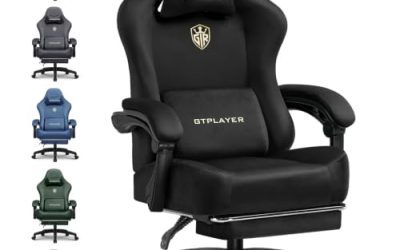
The GTPLAYER RGB Gaming Chair is built around a simple idea: a full-size ergonomic gaming chair with color-adjustable LED lights set along its edges, so the seat itself becomes part of the room’s lighting. The listing describes a high back with a headrest and lumbar support, linkage armrests that move with the backrest, a retractable footrest, and a breathable fabric cover, which together cover the basics of a long session at a desk. The backrest reclines from 90 to 135 degrees, the seat height adjusts across 4 inches, and the chair swivels a full circle on its base, so the sitter can shift from upright typing to a leaned-back break without leaving the chair. The LED modes are the clear draw: timer mode changes colors on a schedule, music mode syncs the glow with sound, and the default setting gives a steady glow for anyone who prefers to plug in and forget about controls. At 45 pounds with a metal frame, the chair feels planted rather than flimsy, and the 19.7-inch seat depth gives room for taller legs. The limits are honest ones: the lights need a USB power source and add a cable to manage, the armrests are linked rather than freely adjustable in every direction, and the glow only shows its best in a dim room. For a gamer who wants one chair that handles homework, work, and play while adding color to the setup, it is a practical pick.
Specs
- Brand: GTPLAYER
- Model name: RGB Gaming Chair
- Model number: GT905-LS
- LED lights: color-adjustable RGB LED lights along the chair edges, with timer mode and music mode
- Upholstery: breathable fabric
- Backrest recline: 90 to 135 degrees
- Seat height adjustment: 4 inches
- Headrest: adjustable headrest included
- Lumbar support: lumbar support pillow included
- Footrest: retractable footrest
- Armrests: linkage armrests that move with the backrest
- Seat depth: 19.7 inches
- Item dimensions: 27.6 x 21.06 x 48.23 inches
- Item weight: 45 pounds
- Frame and base: metal frame with metal base
- Swivel: 360-degree swivel
- Recommended uses: gaming, relaxing, video game
Best for: a gamer who wants a comfortable desk chair with built-in RGB glow for evening sessions.
Watch out for: confirm the stated weight limit on the listing before ordering, and make sure a USB power source sits within easy reach of the desk.
Which One Fits Your Situation
A First RGB Chair for a Bedroom Setup
A bedroom setup is where this chair makes the most sense, because the room is small, the lights are usually low in the evening, and the glow along the chair edges shows up clearly against a dark wall. The GTPLAYER chair fits a bedroom desk without taking over the room, and the retractable footrest gives a place to stretch out when the game ends and a show begins. The USB-powered lights plug into a nearby port, since a computer or console already sits close by. For a first light-up chair, this one gives the full effect without asking the buyer to learn a complicated control system.
Long Evening Sessions at a Desk
Long sessions are the real test of any gaming chair, and the GTPLAYER chair is built for them with a high back, lumbar support, a headrest, and a footrest that pulls out for breaks. The breathable fabric cover helps during hours of sitting, since it lets air move instead of trapping heat. The recline range from 90 to 135 degrees lets the sitter shift posture through the evening, sitting upright for focused play and leaning back to rest between matches. The LED lights add to the mood in a dark room, and music mode can sync the glow with whatever is playing.
A Shared Family Room or Living Room
A shared family room asks more of a gaming chair than a private bedroom does, because the chair sits in view of everyone and may be used by several people of different sizes. The GTPLAYER chair works here when the family wants one seat that handles games, homework, and video watching, and the RGB lights can be switched off so the chair reads as ordinary furniture during the day. The 4-inch height adjustment helps different family members find a comfortable position, and the fabric cover wipes clean after snacks. The main drawback is the USB cable for the lights, which needs a tidy route so nobody trips over it.
A Gift for a Gamer
As a gift, the GTPLAYER RGB Gaming Chair is a strong choice because it looks exciting the moment the box opens and the lights switch on, which matters when the gift is meant to delight. The RGB lighting gives the present a clear wow factor, while the footrest, headrest, and lumbar support show that the giver thought about comfort too. Before ordering, check the recipient’s desk height, room size, and body measurements against the listing’s dimensions, since a chair that does not fit the space becomes a burden rather than a treat. Offering to help with assembly makes the gift even better, since the build needs clear floor space and unhurried time.
Common Mistakes
- Buying for the lights alone and ignoring seat depth, recline range, and lumbar support, which decide whether the chair stays comfortable after the novelty fades.
- Forgetting that the LED strip needs a USB power source near the desk, then discovering the cable cannot reach or trails across a walkway.
- Skipping the stated weight limit on the listing and ordering a chair that sits too close to its rated capacity for the person using it.
- Placing the chair in a bright room and expecting the glow to look like the photos, when LED edges show their best in dim or evening light.
- Rushing assembly on a cluttered floor and misfitting the backrest or armrests, which can leave the chair wobbly or the recline stiff.
Frequently Asked Questions
Does the GTPLAYER RGB chair need a separate power outlet for the lights?
No, the LED strip runs from a USB connection, so it draws power from a USB port or a USB power source near the desk rather than a wall outlet. The listing describes the lights as USB-powered, and the cable runs from the back of the chair to the source. Check that a free USB port sits within reach of the chair before ordering, and route the cable so it does not snag when the chair swivels.
How far does the backrest recline on the GTPLAYER RGB chair?
The backrest reclines from 90 to 135 degrees, which covers upright sitting for work or focused play and a leaned-back position for resting with the footrest out. The linkage armrests move with the backrest as it tilts, so the arms stay supported through the range. Use the upright position for typing and homework, and the deeper recline for watching videos or taking a break between games. Avoid forcing the backrest past its stop, and check that nothing sits behind the chair before reclining fully.
Is the GTPLAYER RGB chair suitable for tall users?
The listing gives a seat depth of 19.7 inches and overall dimensions of 27.6 by 21.06 by 48.23 inches, with a 4-inch seat height adjustment, which suits many taller users. A deeper seat gives longer legs room, and the height range helps the sitter line up knees and desk comfortably. Tall users should still compare their own measurements with the listing before ordering, especially thigh length and the height of the desk.
Can the RGB lights be turned off when they are not wanted?
Yes, the lights can be left off, and the chair then works as an ordinary gaming chair with no glow at all. That matters in a shared room or a bright daytime space where the effect would be wasted, and it also matters for anyone who wants a calm look during work hours. The timer and music modes are options rather than requirements, and the default setting gives a steady glow for anyone who prefers a simple setup.
Related Reviews & Guides



Best Wearable Panic Button for Elderly

Mobility Scooter vs Power Wheelchair for Seniors