Last Updated: September 27, 2026
Many adult children start thinking about a medical alert system after a scare: a parent who fell and could not reach the phone, or who spent hours on the floor before anyone noticed. A good system gives your parent a simple way to call for help and gives you peace of mind. But the market is crowded with look-alike offers, add-on fees, and long contracts. This guide explains how to match a system to your parent’s real daily life and avoid common pitfalls.
Understand the Main Types
In-home systems
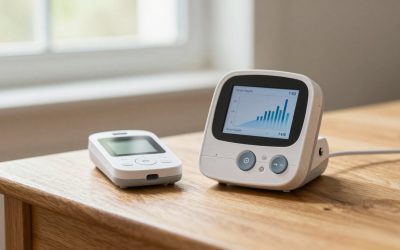
A base station connects to a landline or cellular network and works with a wearable button. Coverage typically extends a few hundred to about 1,000 feet or more from the base, covering the home and nearby yard. These suit parents who spend most of their time at home.

SecuLife Medical Alert Pendant for Seniors, Alerts Go Direct to Family, No Call Center, Auto Fall Detection, GPS Tracking, 2-Way Calling, Water Resistant Necklace
Included for 'How to choose the best medical alert system for elderly parents' because the listing specifies Alerts Go Direct to Family and No Call Center, details this guide uses to compare options.
View on Amazon
LogicMark Freedom Alert, Landline Personal Emergency Device, 2-Way Call with Family and Police for Home Safety, Device for Seniors and The Elderly
Included for 'How to choose the best medical alert system for elderly parents' because the listing specifies Landline Personal Emergency Device and 2-Way Call with Family and Police for Home Safety, details this guide uses to compare options.
View on Amazon
ADT On-The-Go Emergency Medical Alert for Seniors, All-in-One
Included for 'How to choose the best medical alert system for elderly parents' because the listing specifies All-in-One, details this guide uses to compare options.
View on AmazonMobile systems
Mobile devices use cellular service and GPS so they work anywhere with coverage. They suit parents who still drive, walk the neighborhood, or travel.
Smartwatch-style devices
Watches with emergency calling and fall detection look less medical and appeal to some parents. However, battery life is often shorter, and some require a smartphone or a separate monitoring plan to connect to live operators.
Compare the Real Costs
| Cost element | Typical range | What to ask |
|---|---|---|
| Monthly monitoring, in-home | $20-$40 | Is the price locked in? |
| Monthly monitoring, mobile | $30-$60 | Does it include cellular service? |
| Fall detection add-on | $5-$15/month | Is it built in or a separate device? |
| Equipment fee | $0-$250 one time | Do you buy or lease the device? |
| Activation or shipping | $0-$100 | Can it be waived? |
| Cancellation terms | Varies | Is there a contract or prorated refund? |
Features That Matter Most
Fall detection, with realistic expectations
Automatic fall detection can summon help if your parent falls and cannot press the button. However, no system detects every fall, and slow slides to the floor are often missed. Encourage your parent to press the button whenever they fall, even if they think they are fine.
Waterproof wearables
Many falls happen in the bathroom. The button must be waterproof and worn in the shower, not left on the nightstand.
Battery life
In-home pendants often last years on a battery. Mobile devices may need charging daily or every few days. If your parent is forgetful, a longer battery life or a charging cradle by the bed is essential.
Response center quality
Ask about average response times, whether operators are available around the clock, and whether they can relay medical information and contact multiple family members.
Caregiver features
Some systems offer apps that show location, activity, device battery, and alerts. These can help, but discuss them openly with your parent to respect their privacy.
Match the System to Your Parent
A parent who rarely leaves home may do well with an in-home system with a long-range button and fall detection. A parent who drives or walks daily needs a mobile system. A parent with hearing loss needs a loud, clear speaker or a pendant with a speaker. A parent with memory problems needs the simplest possible device with minimal charging.
Getting Your Parent On Board
Many older adults resist wearing an alert button because it feels like a sign of frailty. Involve them in the choice, show discreet designs like wristbands or clips, and frame it as a way to keep living independently. Test the system together monthly so pressing the button feels familiar.
Questions to Ask Before Signing Up
Before you commit, ask the company a short list of direct questions and write down the answers. Is there a minimum contract, and what happens if your parent moves into assisted living or passes away? Is the equipment yours, leased, or on loan, and must it be returned in a prepaid box? How long does the device battery last between charges in real use, not in ideal lab conditions? Can more than one family member be listed as a responder, and in what order will they be called? Finally, request a copy of the terms by email rather than relying on a phone salesperson’s summary. Reputable providers answer these questions clearly and without pressure.
FAQ
Does Medicare pay for medical alert systems?
Original Medicare does not. Some Medicare Advantage plans, state Medicaid waiver programs, and local aging services offer help, so it is worth asking.
Can a medical alert system call 911 directly?
Most monitored systems connect to a trained operator who assesses the situation and calls emergency services or family as needed. Some non-monitored devices call 911 or a family member directly.
Bottom Line
The best medical alert system for your parent matches where they spend their time, what they will actually wear, and how comfortable they are with technology. Compare total costs, not just the monthly fee, avoid long contracts, and test it regularly. The right system can mean help arrives in minutes rather than hours.
Related Reviews & Guides

6 Best Compression Socks For Feet Pain 2026

Best Professional Patient Lifts for Home Caregivers in 2026: Compared and Ranked