Last Updated: October 4, 2026
- Top Pick: SecuLife Medical Alert Pendant for Seniors — Alerts Go Direct to Family, No Call Center | Auto Fall Detection, GPS Tracking, 2-Way Calling, No Contract, Water Resistant Necklace
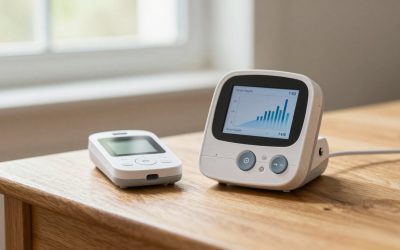
- Best Value: CallToU Caregiver Pager with 2 Wireless Call Button for Elderly at Home
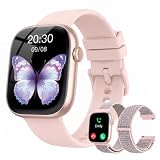
- Premium Choice: Smart Watch for Women Men, Answer/Make Call, 1.83"HD Touchscreen, 2 Bands
Choosing between a medical alert pendant and a smartwatch is less about picking the “better” device and more about deciding what kind of help, routine, and reassurance your household needs. A pendant is designed first for emergencies: it is simple, visible, and usually easy to activate with one press. A smartwatch is designed first for everyday convenience, with health tracking, calls, reminders, and notifications added to the mix.
For an older adult living alone, the most important question is often, “Will they wear it when it matters?” For a family member coordinating care, the question may be, “Who gets the alert, and how quickly can they respond?” And for someone who dislikes the look of traditional safety equipment, a watch may be the only device they will keep on consistently. In 2026, both categories offer useful features, but their strengths remain quite different.
As an Amazon Associate we earn from qualifying purchases at no extra cost to you.



Quick Verdict
Choose a medical alert pendant if the priority is emergency response, simple operation, comfortable all-day wear, and a device that can be used without navigating a screen. It is usually the stronger choice for people with memory changes, limited vision, reduced hand dexterity, or a known fall risk.
Choose a smartwatch if the wearer is already comfortable with phones and charging routines, wants calls and notifications on their wrist, and values a more contemporary appearance. It can be a practical option for an active adult who wants general wellness features alongside an easy way to contact family.
For many homes, the best answer is not necessarily one device replacing the other. A pendant can provide dedicated emergency coverage, while a smartwatch serves as an everyday communication and activity device. If the budget only allows one, prioritize the device most likely to be worn every day and understood in an emergency.
Side by Side
| Factor | Medical Alert Pendant | Smartwatch |
|---|---|---|
| Comfort | Typically 1 to 2.5 ounces; worn on a neck lanyard or chain. | Usually 1.2 to 2 ounces; worn snugly on the wrist. |
| Durability | Built around a large emergency button; many are water resistant for daily use. | Varies widely by model; screens can be more vulnerable to drops and scratches. |
| Typical price range | About $40 to $200 upfront, plus possible monthly monitoring or cellular fees. | About $30 to $500 upfront, with possible phone-plan or app costs. |
| Maintenance | Usually charging every few days to several weeks, depending on the model. | Commonly requires charging every 1 to 3 days. |
| Space needed | No furniture space; a charging dock may measure roughly 3 to 5 inches across. | No furniture space; charging puck or stand is often 2 to 4 inches wide. |
| Look | Functional and noticeable, though smaller pendant-style designs can be discreet. | Looks like everyday consumer electronics and can be customized with bands. |
| Resale | Usually limited because activation, subscriptions, and account transfers may be required. | Often easier to resell if reset, unlocked, and in good condition. |
| Primary purpose | Getting help quickly during a fall, illness, or urgent situation. | Communication, notifications, wellness tracking, and basic safety tools. |
| Best for | People who need a simple, dedicated emergency device. | Independent, tech-comfortable users who want one device for daily life. |
Where Medical Alert Pendant Wins
A medical alert pendant wins on simplicity. The central action is usually obvious: press the button to request help. That matters when a person is frightened, short of breath, dizzy, or unable to remember several steps on a touchscreen. A large tactile button is generally easier to locate than a small watch display, especially for people with arthritis, tremors, poor eyesight, or reduced finger strength.
It also wins as a dedicated safety device. Many pendants include options such as two-way calling, GPS location tracking, and automatic fall detection. The SecuLife Medical Alert Pendant for Seniors, for example, is positioned as a no-contract pendant that sends alerts directly to family rather than through a call center, with auto fall detection, GPS tracking, two-way calling, and a water-resistant necklace design. At $87, it sits within the middle of the upfront-cost range for a more feature-focused personal alert device.
That direct-to-family structure can be appealing for households with nearby adult children, neighbors, or caregivers who are ready to respond. Before buying, however, confirm exactly how notifications work: whether alerts go to a phone app, text message, phone call, or all three; how many contacts can be added; and whether the device works away from home without a separate cellular plan.
Pendants also tend to be more forgiving for sleep and overnight bathroom trips. A wristwatch may be removed before bed, placed on a charger in another room, or taken off because it feels bulky. A lightweight pendant can remain on its lanyard overnight, provided the wearer is comfortable doing so and the manufacturer’s use instructions permit it.
Finally, a pendant avoids some smartwatch distractions. There are no message banners, app prompts, workout goals, or accidental settings changes competing with the safety function. For a person who finds technology stressful, less functionality can be an advantage.
Where Smartwatch Wins
A smartwatch wins when daily usefulness is what drives consistent wear. A person may resist a medical pendant because it feels clinical or makes them feel labeled as vulnerable. They may happily wear a watch that shows the time, displays incoming calls, tracks steps, and matches their clothes. That difference in willingness can outweigh a long list of technical features.
Most basic smartwatches provide a large touch display, Bluetooth calling when paired with a phone, alarms, timers, reminders, and activity tracking. Entry-level models can be quite affordable. For context, generic 1.83-inch touchscreen smartwatches with Bluetooth calling and two bands are available around $35. These are useful examples of the budget end of the category: they may cover basic calling and notification needs, but buyers should not assume they offer the same emergency infrastructure as a purpose-built medical alert device.
Smartwatches can also be easier to integrate into a household routine. The wearer may already charge a phone nightly, glance at wrist notifications, and use voice calling. Family members can set recurring medication reminders, appointment alarms, or check-in habits without adding another device to manage.
For active adults, a wrist format is often more practical than a necklace. It stays out of the way while gardening, walking the dog, cooking, or carrying groceries. Bands are replaceable, and a watch can feel more personal than a standard pendant. A roughly 1.7- to 2-inch rectangular display is easier to read than phone notifications for many users, though it still requires enough vision and touch control to navigate menus.
The main limitation is that smartwatch emergency tools can depend heavily on phone pairing, cellular coverage, account setup, software settings, and battery level. A watch is not automatically a medical response system simply because it can make a call. If emergency coverage is the core reason for the purchase, verify the exact SOS process before relying on it.
Cost Over 5 Years
The five-year cost comparison depends less on the purchase price than on recurring service. A basic Bluetooth smartwatch priced for under $40 may cost roughly $36 to $120 over five years if it does not need replacement and has no paid app or cellular service. In reality, budget watches may need a replacement strap, charging cable, or eventual replacement, so a more practical allowance is about $75 to $200 over five years.
A medical alert pendant can be inexpensive upfront but more expensive over time if it includes professional monitoring or a cellular connection. A $87 pendant with no mandatory call-center contract may keep five-year hardware costs close to the original purchase price, plus any selected connectivity fees. A pendant with a $25 to $45 monthly plan adds approximately $1,500 to $2,700 over five years, before activation fees or equipment replacement.
A home-only alternative costs less but offers narrower coverage. The CallToU Caregiver Pager with two wireless call buttons, listed around $35, is the kind of simple in-home system that can work well between rooms. It is not a substitute for a GPS-enabled pendant or a cellular watch when the wearer leaves the property. Consider it a household calling tool rather than full mobile emergency protection.
When comparing totals, write down the hardware cost, monthly fee, activation cost, replacement policy, battery or charging needs, and whether family members need a paid app. The least expensive option is not always the best value if it is left in a drawer or fails to reach the right person during an emergency.
Which One for Your Home
Small apartment
In a small apartment, a caregiver pager can be surprisingly effective because family members may be only a room away. Pair it with a pendant for someone who needs a simple way to summon help from the bedroom or bathroom. A smartwatch is a good alternative for an independent resident who already uses a smartphone confidently, but do not assume Bluetooth calling reaches beyond the phone’s practical range.
Family with kids or pets
Choose a durable, easy-to-wear device that will not be routinely misplaced. A pendant can be safer than leaving a watch on a counter where children may play with it or a pet may knock it down. Keep charging equipment on a high, stable surface and establish one charging location. For a smartwatch, choose a secure band and make sure emergency settings cannot be triggered too easily by accidental taps.
Rental
Both choices work well in rentals because neither requires wall mounting, wiring, or permanent modifications. A pendant with mobile coverage is especially useful for renters who may move often, provided the service can be transferred to a new address. For a home pager, test reception in bathrooms, hallways, balconies, and any detached garage before relying on it.
Long-term home
In a long-term home, think beyond today’s needs. A smartwatch may fit an active, independent adult now, while a medical pendant may become the more dependable choice if mobility, vision, or memory changes later. Families planning to age in place may benefit from keeping the emergency plan simple: visible chargers, written contact instructions, tested alert settings, and at least two people who know what to do when an alert arrives.
FAQ
Can a smartwatch replace a medical alert pendant?
Sometimes, but not always. A smartwatch may be enough for a tech-comfortable person who reliably wears and charges it and can use its calling or SOS features. A medical alert pendant is usually better for someone who needs one-button assistance, automatic fall detection, direct caregiver alerts, or a device designed primarily for emergencies.
Do medical alert pendants work outside the home?
Some do, but coverage depends on the specific device and service plan. Home-based systems may only work within range of their base unit. GPS and cellular pendants can be used away from home where supported cellular service is available. Check whether outdoor use requires a monthly plan and whether location sharing is included.
How often do these devices need charging?
Many smartwatches need charging every day or every few days. Medical alert pendants vary more widely, from several days to several weeks. Actual battery life changes with calling, GPS use, fall detection, screen brightness, and cellular signal strength. Put charging on a visible routine rather than waiting for a low-battery warning.
What is the easiest option for an older adult who dislikes technology?
A dedicated medical alert pendant is generally the easier option. Look for a large button, clear charging method, water resistance suitable for everyday routines, and a response setup that family members have tested. The best device is the one the wearer understands, accepts, and keeps within reach every day.
Related Reviews & Guides
Best Medical Grade Refrigerators in 2026: How the Top Models Compare
6 Best Verizon Senior Cell Phone Plans 2026