Last Updated: October 4, 2026
- Watch: How to Find the Best Large Print Keyboards for Seniors — Video Review
- Why Standard Keyboards Fall Short for Low Vision Users
- Key Features That Actually Matter
- Wired vs. Bluetooth: Which Should You Choose
- Matching the Keyboard to the Vision Need
- Ergonomics and Everyday Comfort
- Tips for Choosing the Right Large Print Keyboard
- Frequently Asked Questions
- Conclusion
- Related Articles
- Related Guides
- Top Pick: MIKUSO Large Print Backlit Keyboard, Wired USB for Seniors & Low Vision
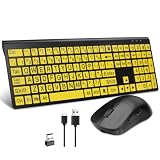
- Best Value: BOOGIIO Large Print Computer Keyboard, Wired USB High Contrast Keyboard with Oversized Print Letters for Visually Impaired Low Vision Individuals (Yellow+Black)
- Premium Choice: Nuklz N Large Print Computer Keyboard | Visually Impaired Keyboard | High Contrast Black and White Keys Makes Typing Easy | Perfect for Seniors and Those Just Learning to Type
Typing shouldn’t be a squinting exercise. For seniors managing age-related vision changes like presbyopia, macular degeneration, or cataracts, a standard keyboard with its tiny, low-contrast keys can turn simple tasks like emailing grandkids or paying bills online into a frustrating chore. Large print keyboards solve this with oversized characters, bold contrast, and sometimes backlighting to make every keystroke easier to see and confirm.
In this guide, we’ll walk through what actually matters when shopping for one in 2026, compare the features found across today’s most popular models, and help you pick the right fit based on vision needs, device compatibility, and typing habits.
As an Amazon Associate we earn from qualifying purchases at no extra cost to you.






⚡ Save on Your Next PC — Amazon Prime
Prime members get fast free shipping on the systems above, plus early access to Prime Day & Black Friday PC deals. New members get a 30-day free trial.
Watch: How to Find the Best Large Print Keyboards for Seniors — Video Review
Why Standard Keyboards Fall Short for Low Vision Users
Most consumer keyboards print characters at around 3-4mm tall in a light gray font on a matching gray key, a combination that offers almost no contrast under normal room lighting. For someone with 20/70 vision or worse, that’s nearly unreadable without leaning in inches from the screen. Large print models flip this by using letters 2 to 4 times bigger (often 18-20 point equivalent) in bold black-on-white or white-on-black finishes, which is the same high-contrast logic used in large print books.
- Standard key legends are hard to distinguish from the key surface itself.
- Poor lighting compounds the problem, especially in evening hours.
- Misplaced keystrokes lead to typos, frustration, and reduced confidence using a computer.
Key Features That Actually Matter
Not every “large print” keyboard is created equal. Letter size, contrast ratio, and connection type all affect real-world usability more than marketing photos suggest.
- Letter height: Look for keys with print at least 3x the size of a standard keyboard; models like the EDJO advertise 4x oversized lettering, which is noticeably easier to read at arm’s length.
- Contrast combination: Black letters on white keys (like the Nuklz N) or yellow-on-black (like the BOOGIIO) tend to test better for low vision than gray-on-gray or gray-on-black.
- Backlighting: Backlit options such as the MIKUSO or the X9, which offers 7 color LED settings, help in dim rooms but can wash out contrast if the backlight is too bright, so adjustable brightness is a plus.
- Connection type: Most large print keyboards are wired USB, which is plug-and-play with no pairing or battery to manage. Bluetooth models like the HXMJ trade that simplicity for portability across tablets and phones.
Wired vs. Bluetooth: Which Should You Choose
This is one of the first decisions to make, since it narrows the field considerably.
- Wired USB keyboards (MIKUSO, BOOGIIO, Nuklz N, X9, EDJO) are the simplest option for a desktop PC or laptop. There’s no charging, no Bluetooth pairing menus to navigate, and no dropped connections.
- Bluetooth keyboards like the HXMJ make more sense if you’re typing on an iPad, iPhone, or MacBook, or if you want to reduce cable clutter on a shared desk. Just confirm battery life expectations and how the pairing process works before buying, since repeated pairing can be its own accessibility hurdle.
Matching the Keyboard to the Vision Need
Vision loss isn’t one-size-fits-all, so the “best” keyboard depends on the specific challenge.
- Low ambient light sensitivity or need for extra illumination: backlit models like the MIKUSO or X9 help keys stand out after dark.
- General low vision or early-stage macular degeneration: high-contrast, non-backlit options like the BOOGIIO or EDJO are often sufficient and tend to run quieter and simpler.
- New or returning typists, including those relearning after vision loss: the Nuklz N is built with clear key grouping in mind, which helps with muscle memory and finger placement.
- Multi-device households: the HXMJ’s Bluetooth flexibility covers tablets and phones in addition to computers.
Ergonomics and Everyday Comfort
Beyond visibility, comfort determines whether a keyboard actually gets used daily. Full-size layouts with a number pad, like the EDJO and X9, suit anyone doing data entry or financial tasks. Quiet key switches matter too, particularly in shared living spaces or senior communities where noise travels. A slim, low-profile design, as seen in the HXMJ, also reduces wrist strain for those who type for extended periods.
Tips for Choosing the Right Large Print Keyboard
- Check that the keyboard’s layout (full-size vs. compact) matches how you actually use a computer, especially if you rely on a number pad.
- If choosing a backlit model, confirm the brightness is adjustable so it doesn’t create glare on glossy keys.
- Verify compatibility with your specific device and operating system before purchasing, particularly for Bluetooth models paired with tablets or phones.
- Consider spill-resistant or quiet-key designs if the keyboard will be used in a shared or communal living space.
Frequently Asked Questions
Do large print keyboards work with any computer?
Wired USB models generally work with any PC or laptop with a USB port, including most Windows machines, without needing extra drivers. Bluetooth models require checking device compatibility, since some are optimized for iOS or macOS rather than Windows.
Are backlit keyboards worth the extra cost?
Backlighting helps most in low-light rooms or for evening use, but it isn’t essential if your workspace is already well lit. For users with strong light sensitivity, a non-backlit, high-contrast model may actually be more comfortable.
Can these keyboards help with more than just vision loss?
Yes. Larger keys and clearer labeling also benefit users with tremors, arthritis, or reduced fine motor control, since there’s less precision needed to hit the intended key accurately.
Will a large print keyboard slow down typing speed?
Not typically. The overall key layout and spacing usually match a standard keyboard, only the printed characters are larger, so touch typists and hunt-and-peck typists alike can adjust quickly, often within a day or two.
Conclusion
The right large print keyboard comes down to matching contrast, size, and connection type to your specific vision needs and devices. Whether that’s a backlit wired option for evening use, a high-contrast model for daytime clarity, or a Bluetooth keyboard for tablet flexibility, the goal is the same: making every keystroke visible and confident. Take stock of your lighting, your device, and your typing habits, and the right match becomes clear fast.
Related Reviews & Guides


How to Choose a Safe and Comfortable Senior Bed Wedge Pillow

Top 5 Adaptive Utensils for Seniors with Tremors or Limited Dexterity