Last Updated: October 7, 2026
The best fall detection devices depend on where a fall is most likely: a wearable with cellular service offers the broadest coverage, while a home system with room-to-room sensors can work without asking someone to wear a pendant.
For many people, a wearable cellular medical alert is the most practical starting point: it can call for help at home and outdoors, and most models include a help button as a backup if automatic detection misses a fall. Choose a home sensor system instead when wearing a device is unlikely, but check its room coverage carefully. No fall detector catches every fall, and detection does not guarantee that an alert will reach a responder.
How fall detection works—and what accuracy means
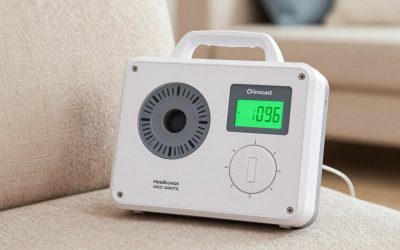
Wearables use motion sensors, commonly an accelerometer and gyroscope, to look for a pattern of movement associated with a fall. If the device detects a possible fall, it may prompt the wearer before contacting a monitoring center. A home system may use motion, radar, or other sensors to detect a person’s movement and position without requiring a wearable.
“Accuracy” is not one universal score. A device can miss a fall, mistake a sudden movement for one, or detect an event but fail to connect because of weak cellular or Wi-Fi service. Performance depends on how and where the device is worn or installed, the fall itself, and the system’s alert and response setup. A manual help button is important because automatic detection is a safety net, not a substitute for calling for help.
Wearable vs. home fall detection
| Factor | Wearable pendant or watch | Home sensor system |
|---|---|---|
| Coverage | Can travel between rooms and, with a cellular model, outside the home. | Limited to the rooms and zones covered by installed sensors; usually not for outdoor use. |
| Detection | Reads movement from the device worn on the body; position and fit can affect detection. | Reads movement or presence in its sensor area; coverage gaps can leave some falls unseen. |
| Comfort and upkeep | Must be worn consistently and charged or have its battery replaced. | No pendant to wear, but sensors need suitable placement, power, and sometimes an internet connection. |
| Connection | May use a home base, a landline, or built-in cellular service, depending on the model. | Often depends on home power and Wi-Fi or another network; verify any backup connection. |
| Best fit | People who go outdoors, move around the home, or want a manual call button on them. | People who are unlikely to wear a device and primarily need coverage in selected rooms. |
Which option fits your situation?
| Situation | A sensible starting choice | What to check before buying |
|---|---|---|
| Regularly goes outside alone | Wearable with built-in cellular connection and fall detection | Coverage in usual outdoor areas, battery life, and whether location sharing is included. |
| Moves between rooms, may forget a pendant | Home sensor system, or a wearable paired with home coverage | Which rooms are actually covered and whether bathrooms, hallways, and bedrooms need separate sensors. |
| Dislikes necklaces or wrist devices | Non-wearable home system, if most risk is indoors | False-alert handling, privacy practices, and what happens outside sensor range. |
| Lives where internet or power is unreliable | Wearable or home system with a verified cellular and battery backup | How the device connects during an outage and how long backup power lasts. |
| Needs a simple call-for-help option | Wearable with a prominent manual help button | Button size, ease of pressing, and whether the wearer can reach it after a fall. |
Choosing a wearable: comfort, battery, and coverage
Pendant, wrist device, or smartwatch
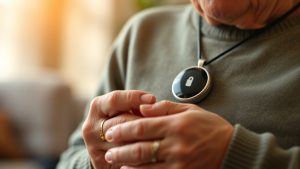
A pendant is often easy to reach and can be worn under or over clothing, but some people find a lanyard uncomfortable or remove it for bathing. Wrist devices may feel more familiar, though small buttons can be harder to press. A general-purpose smartwatch may offer fall detection, but emergency calling, cellular service, setup, and monitoring can differ from a dedicated medical alert service. Confirm exactly what happens after an alert and whether a response center is included.
Try the device with the clothing and routine it will be used with. Check that it stays in place, does not snag, and can be operated with limited hand strength or dexterity. Water resistance is not the same as suitability for swimming or showering; follow the specific device’s instructions.
Battery life and connection
Battery life varies substantially by model and by how often it communicates. A home-base pendant may need periodic charging or battery replacement; a cellular wearable usually needs regular charging. Ask for the expected battery life under ordinary use and the low-battery warning method. A device that is uncomfortable to charge, or whose warning cannot be heard or seen, may be left unready.
Cellular models can work away from home, but only where the device’s network has coverage. Wi-Fi-dependent systems may be affected by router outages or a changed password. For any option, ask whether it has a backup connection or battery, and whether it will alert someone if it goes offline.
Room coverage: why placement matters
A wearable can move with its owner, but only if it is worn. A home sensor can cover a room without relying on a pendant, but a sensor in the living room does not automatically cover the bathroom, bedroom, or hall. In a compact 10 × 12 ft room (120 sq ft), one sensor might cover the main activity area, yet furniture, walls, doorways, and the device’s detection angle can still create blind spots. Treat the manufacturer’s stated range as a starting point, not proof that every corner is covered.
Before installing a home system, sketch the rooms where the person spends time and mark likely fall locations: beside the bed, near the toilet, in the kitchen, and along routes between rooms. Confirm coverage for each area with the provider, and ask how testing works. For outdoor steps, a garage, or a yard, a fixed indoor sensor is not a substitute for a wearable designed to connect beyond the home.
Costs and questions to ask
As a broad market guide, basic in-home medical alert service may cost roughly $20–$40 per month, while mobile cellular options with fall detection are often around $40–$70 per month. Equipment, activation, and monitoring fees vary; some systems also require a one-time purchase or ongoing subscription. Home sensor systems can have different equipment and service costs, so compare the total first-year cost rather than the device price alone.
- Does automatic fall detection cost extra, and can it be turned off?
- Does the service call a monitoring center, family contacts, or emergency services—and in what order?
- Can the wearer cancel a false alarm, and what if they cannot respond?
- Which rooms and outdoor areas are covered, and what network does the system use?
- What are the charging routine, battery backup, cancellation terms, and ongoing fees?
Bottom line
Choose a cellular wearable if the person spends time outside or needs coverage throughout the home and is willing to wear and charge it. Choose a non-wearable home system if consistent wear is the main obstacle and the priority is indoor coverage—after confirming that the important rooms are included. For either type, a reliable manual help option, clear outage behavior, and a realistic charging or maintenance routine matter as much as the fall-detection feature.
Related Reviews & Guides




8 Best Weekly Pill Organizers for Seniors: Never Miss a Dose

Depression in Seniors: Causes, Symptoms and Support Resources