Last Updated: October 4, 2026
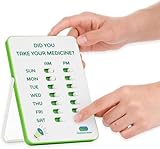
- Top Pick: Memoryboard Digital Reminder Board for Seniors, 10.1 Inch
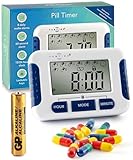
- Best Value: Betife Automatic Pill Dispenser,28-Day Smart Bluetooth Pill Box, Easy Setup
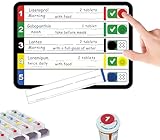
- Premium Choice: Medication Tracker & Pill Reminder | Visual Reminder Alarm | 7 Day AM PM Medication Reminder | Take and Slide | No More Second-guessing or Double-dosing | Perfect for The Elderly (Two Column English)
Top Medication Reminder Apps Seniors Caregivers Picks for 2026
Here are our current top medication reminder apps seniors caregivers picks, compared on real Amazon owner reviews, price, and features. Live prices update below.
Medication reminder apps can be a quiet lifesaver for seniors and the family members who help them. As prescriptions accumulate — a pill with breakfast, another twice daily, eye drops at bedtime — keeping the schedule straight becomes a genuine daily challenge, and missed or doubled doses are one of the most common medication problems in older adults. A well-chosen reminder app turns a smartphone or tablet into a patient, tireless assistant that never forgets a dose. This guide explains what these apps do, which features matter most for seniors, how to set one up successfully, and the best alternatives for those who prefer something simpler than a phone.
As an Amazon Associate we earn from qualifying purchases at no extra cost to you.




What Medication Reminder Apps Actually Do
At their core, these apps let you enter each medication, its dose, and its schedule, then sound an alarm or send a notification when it is time to take it. Most go further. Common capabilities include:
- Dose tracking: you tap “taken” or “skipped,” creating a history you and your doctor can review.
- Refill reminders: alerts when a prescription is running low.
- Caregiver alerts: some apps can notify a family member if a dose is missed — invaluable for adult children supporting a parent from a distance.
- Drug information and interaction warnings: general reference details about each medication (never a substitute for your pharmacist’s advice).
- Appointment and measurement logs: blood pressure, glucose, weight, and doctor visits in one place.
Well-known options in this category include Medisafe, MyTherapy, and the reminder features built into both iPhone (Apple Health) and many Android phones. Built-in options are worth trying first — they are free, already installed, and integrated with the phone’s alarm system.
Features That Matter Most for Seniors
When comparing apps, prioritize these senior-friendly qualities:
- Large text and simple screens. Setup menus buried three layers deep cause abandoned apps. Look for big buttons and a clear daily view.
- Loud, persistent alarms. A single quiet ping is easy to miss. The best apps repeat reminders until the dose is marked taken.
- Free core features. Many excellent apps are free; be cautious of subscriptions that lock basic reminders behind payment.
- Caregiver or “Medfriend” alerts if family monitoring matters to you.
- Works offline. Reminders should fire even without an internet connection.
- Privacy. Check what health data the app collects and shares — a quick read of the privacy summary in the app store listing is worthwhile. Our guide to smartphone safety and privacy setup for seniors covers the permissions worth limiting.
Setting Up a Reminder App for Success
The difference between an app that helps and one that gets ignored is almost always in the setup.
- Enter medications together. Have a family member or caregiver sit down with the senior, the pill bottles, and the phone, and enter everything in one session. Use the exact names from the labels.
- Match reminders to real routines. Schedule the morning alarm for when breakfast actually happens, not an idealized 7:00 a.m.
- Turn the volume up and test it. Trigger a test reminder and make sure it can be heard from the next room.
- Practice the response. Rehearse hearing the alarm, taking the dose, and tapping “taken” several times until it feels natural. The patient, step-by-step approach in our guide to teaching seniors to use a tablet works just as well for phones and apps.
- Review weekly at first. A quick check of the adherence history catches problems early and builds confidence.
Keep the pharmacy’s number saved in the phone, and bring the app’s medication list to every doctor visit — it is an instant, accurate medication record.
Alternatives and Companions to Apps
Apps are not the right fit for everyone, and they work even better combined with physical systems.
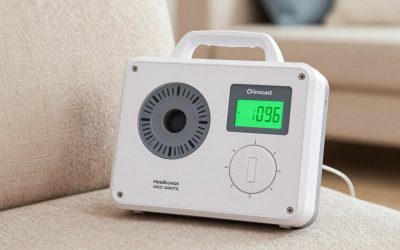
Automatic pill dispensers hold pre-sorted doses and release them at programmed times, often with loud alarms and locking lids that prevent double-dosing. Weekly pill organizers remain the simplest visual system ever invented — one glance shows whether today’s dose was taken; see our guide to the best weekly pill organizers for seniors. Reminder watches put discreet vibrating alarms right on the wrist, ideal for seniors who are out and about — compare options in our roundup of medication reminder watches. Voice assistants and other connected helpers can announce medication times throughout the house, as covered in our guide to smart home devices for elderly parents.
For seniors managing five or more prescriptions, organization tools are only half the answer — the bigger picture of interactions, prescriber coordination, and regular medication reviews is covered in our polypharmacy safety guide. And when memory loss makes any self-managed system unreliable, it may be time for human support; our guide to hiring a home health aide explains how aides can assist with medication routines.
When Apps Are Not Enough
Reminder apps assume the user hears the alert, understands it, and acts on it. If a senior frequently dismisses alarms without taking medication, becomes confused about which pills are which, or has been diagnosed with dementia, escalate to systems with more built-in safeguards: locked automatic dispensers, caregiver-monitored alerts, or in-person assistance. Talk to the prescribing doctor or pharmacist too — they can often simplify a regimen, synchronize refills, or switch to blister-packed doses that remove sorting entirely.
Frequently Asked Questions
Are medication reminder apps free?
Many are free for core reminder features, including the options built into iPhones and Android phones. Some apps charge subscriptions for extras such as multiple caregiver alerts or advanced reports — most seniors do fine with free tiers.
What is the easiest medication reminder app for a senior who is new to smartphones?
Start with the phone’s built-in reminder or health app, set up by a family member. If more features are needed, choose a dedicated app known for a simple interface, and set it up together rather than expecting the senior to configure it alone.
Can an app alert me if my mother misses her medication?
Yes — several apps offer caregiver or companion features that send a notification to a designated family member when a dose is not marked taken within a set window. Automatic dispensers with monitoring services provide the same safety net without requiring her to use a phone.
Do reminder apps check for drug interactions?
Some include general interaction information, but app warnings are no substitute for professional review. Always ask your pharmacist to check interactions whenever a new medication is added.
What if dad ignores the phone alerts?
Pair the app with a physical cue — a weekly organizer next to the coffee maker, a vibrating reminder watch, or an automatic dispenser with a loud alarm. Multiple gentle prompts in different forms beat one alert that is easy to swipe away.
Related Reviews & Guides

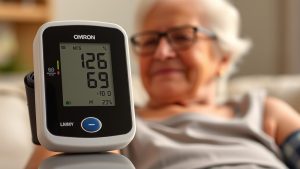


Senior Fitness Tracker Heart Rate
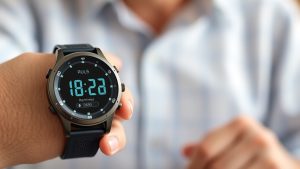
10 Best Medication Reminder Watches for Seniors