Last Updated: October 7, 2026
- CGM, blood glucose meter and display accessory are different products
- Examples of actual CGM systems
- Over-the-counter does not mean interchangeable
- Choose a display the person can use comfortably
- Discuss alerts and sharing as a complete arrangement
- Plan sensor handling and everyday maintenance
- Check coverage and ongoing cost before ordering
- Questions to bring to the appointment or training session
- Frequently asked questions
A continuous glucose monitor, or CGM, uses a wearable sensor to provide glucose information over time. For an older adult with diabetes, choosing a device involves more than comparing a sensor’s size or a retailer’s star rating. The exact product’s intended use, display, alerts, compatibility and ongoing supply arrangements all matter.
This is a device-selection guide to discuss with a diabetes care professional. It does not set glucose targets, recommend medication changes or provide a treatment protocol. The appropriate monitoring plan depends on the individual and the instructions for the specific system.

Metene TD-4116 Blood Glucose Monitor Kits, Blood Sugar Testing Kit, HSA/FSA
Included for 'CGM Continuous Glucose Monitor for Seniors with Diabetes' because the listing specifies Blood Sugar Testing Kit and HSA/FSA, details this guide uses to compare options.
View on Amazon
Ascensia CONTOUR NEXT GEN Blood Glucose Monitor All in One Kit + 20 Strips
Included for 'CGM Continuous Glucose Monitor for Seniors with Diabetes' as a relevant option in this category; details come from the product listing.
View on Amazon
LinkSun G-425-1 Glucose Monitor Kit, 100 Strips & Lancets for Diabetes
Included for 'CGM Continuous Glucose Monitor for Seniors with Diabetes' because the listing specifies 100 Strips & Lancets for Diabetes, details this guide uses to compare options.
View on Amazon
Medilax Glucose Monitor Kit, Blood Sugar Testing Kit with 100 Test Strips
Included for 'CGM Continuous Glucose Monitor for Seniors with Diabetes' because the listing specifies Blood Sugar Testing Kit with 100 Test Strips, details this guide uses to compare options.
View on Amazon
iHealth Gluco+ Wireless Smart Glucose Monitor Kit, 100 Strips & 100 Lancets
Included for 'CGM Continuous Glucose Monitor for Seniors with Diabetes' because the listing specifies 100 Strips & 100 Lancets, details this guide uses to compare options.
View on AmazonCGM, blood glucose meter and display accessory are different products
The NIDDK overview explains that a CGM estimates glucose in the fluid between cells using a sensor under the skin. A finger-stick meter measures a blood sample at a particular time. A separate display or sharing app may show CGM data without being the sensor that measures it.
Product type / What to identify / Purchase check
- Wearable CGM system
What to identify: Exact sensor and compatible app or receiver
Purchase check: Intended users, prescription requirements and compatible components
- Finger-stick meter kit
What to identify: Meter, matching strips and required sampling supplies
Purchase check: A spot-check system, not continuous monitoring
- Display or data-sharing accessory
What to identify: Supported source device and connection requirements
Purchase check: Does not replace the measuring sensor
- Consumer glucose biosensor
What to identify: Its specific labelled purpose and limitations
Purchase check: Do not assume it substitutes for diabetes-management equipment
A listing that includes strips, lancets and a meter should not be ranked as a wearable CGM merely because its title contains “glucose monitor.” Read the complete package description and confirm which recurring supplies are required.
Examples of actual CGM systems
Dexcom describes the G7 system as a wearable CGM. Its instructions state that finger-stick measurements are required for treatment decisions when symptoms or expectations do not match readings. A claim that a CGM eliminates every possible finger-stick check would therefore be misleading.
Abbott’s US FreeStyle Libre 3 Plus information describes a prescription sensor with up to fifteen days of wear and readings sent to a compatible smartphone. Confirm the exact sensor name and compatible display rather than borrowing details from a different Libre generation.
These examples establish product categories, not a recommendation that either is right for every older adult. Ask the care team which systems fit the person’s monitoring needs, and use the current instructions for the model supplied in your country.
Over-the-counter does not mean interchangeable
The FDA’s Stelo clearance announcement identifies adults who do not use insulin as its intended population and excludes people with problematic hypoglycemia. It also explains that the system is not designed to alert users to that condition. Do not generalize those features or limitations to every CGM.
Lingo’s manufacturer states that Lingo is not intended for diagnosis or management of diabetes. An online listing for a Lingo sensor should not be presented as an interchangeable diabetes-treatment monitoring option simply because it measures glucose.
Prescription status belongs to the exact device and jurisdiction. Check the product’s current labelling and ask the clinician or supplier to resolve uncertainty before purchasing. An over-the-counter example does not make FreeStyle Libre 2 or every other CGM available under the same conditions.
Choose a display the person can use comfortably
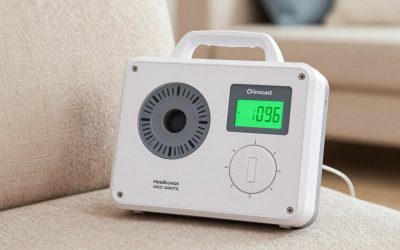
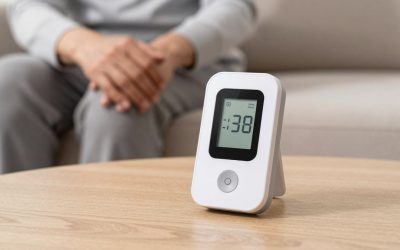
Ask to see the actual display rather than relying on a promotional screenshot. Check the readability of numbers, trend information and status messages. Try the controls with the settings and glasses normally used. A simple-looking screen may still involve menus or steps that need practice.
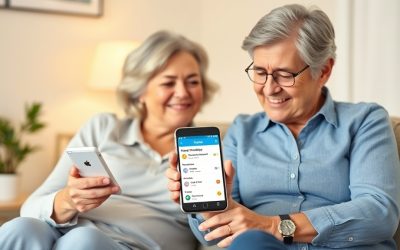
If a smartphone is part of the system, check the exact phone model and operating-system version against the manufacturer’s compatibility information. Do not assume that any recent phone will work. Ask how app updates, permissions and phone replacement should be handled.
If considering a dedicated receiver, confirm that it is compatible with the specific sensor and which functions it supports. A receiver and a smartphone app may not offer identical sharing or display features. Have the supplier demonstrate the arrangement that will actually be used.
Discuss alerts and sharing as a complete arrangement
Ask the care professional and device trainer to explain the available alerts and how to recognize a signal-loss or missing-reading message. Check how the system behaves with the phone settings normally used, including sound and notification permissions. Do not assume an alert will always be heard or delivered.
If the person wants a caregiver to receive information, confirm consent and demonstrate the sharing setup. Agree who will review messages and what backup contact arrangement to use. A sharing feature should not be described as guaranteed emergency monitoring or a replacement for an agreed care plan.
Plan sensor handling and everyday maintenance
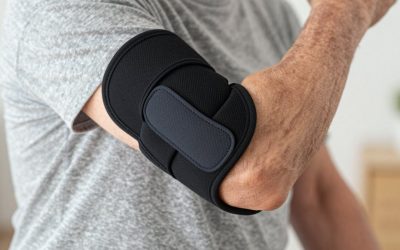
Ask for a demonstration of the supplied applicator, approved placement and removal process. Discuss dexterity, vision or skin concerns with the care team. Use the device’s instructions rather than a generic placement rule borrowed from another brand.
Confirm the exact wear period and replacement schedule for the product supplied. Keep the manufacturer’s support details and ask what to do if a sensor falls off, fails or stops providing readings. Do not improvise adhesives, insertion techniques or replacement intervals from a shopping article.
For storage, travel and activities, use the limits in the product instructions. Ask which supplies to carry and what backup monitoring arrangement the care team recommends. This planning is more useful than assuming every sensor has the same water-resistance or temperature limits.
Check coverage and ongoing cost before ordering
For US Medicare users, start with the official CGM coverage page and confirm eligibility and supplier requirements for the individual. Coverage should not be promised solely because someone is older or has diabetes.
Ask for the ongoing cost of the complete prescribed setup, including sensors and any required receiver or other components. Verify how refills are arranged and whom to contact if a shipment is delayed. A one-time advertised sensor price does not establish the total monthly expense.
Questions to bring to the appointment or training session
- Which exact device and display are appropriate for this monitoring plan?
- When are meter checks still required by the device instructions and care plan?
- Can the person read and operate the chosen display?
- Which alerts and sharing features are available in this setup?
- Who will help with sensor changes and technical problems?
- What supplies, coverage checks and refill arrangements are needed?
Frequently asked questions
Does CGM mean there will never be another finger-stick check?
No. Follow the exact product instructions and individualized care plan. Device limitations and situations with missing or unexpected readings still need a clear backup arrangement.
Is the longest-wearing sensor automatically best?
No. Intended use, compatibility, usability and the monitoring plan matter alongside wear time. Compare the complete system with the care team.
Can a shopping comparison set alert thresholds or insulin doses?
No. Those decisions belong in an individualized plan with qualified care professionals. Use this guide to organize product and usability questions.
Related Reviews & Guides




Quick Picks: Best Automatic Pill Dispensers for Seniors
Senior Pill Organizer Weekly Large Print Review